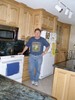
This is a wet bar I designed and fabricated for a customer who bought a few pieces of mexican furniture at auction. They wanted the rest of the kitchen and wet bar area built around and styled to match those pieces. This was the result. (Hopefully I attached the picture correctly - my first attempt at it.)
Have a great and safe weekend!
Steve
Spanish wet bar...
Moderator: admin
-
knottymind
- Silver Member
- Posts: 11
- Joined: Fri Sep 03, 2010 11:20 am
- Location: Dunnellon, Florida
Spanish wet bar...
- Attachments
-
- Bar [320x200] [320x200].JPG (10.31 KiB) Viewed 1257 times
-
horologist
- Gold Member
- Posts: 431
- Joined: Sat Dec 22, 2007 6:36 pm
- Location: Melrose, FL
-
knottymind
- Silver Member
- Posts: 11
- Joined: Fri Sep 03, 2010 11:20 am
- Location: Dunnellon, Florida
-
mbcabinetmaker
- Platinum Member
- Posts: 1627
- Joined: Thu Jul 20, 2006 6:18 am
- Location: Greer SC
Steve welcome to the forum.
I was in your position not long ago but with help from people on this forum I am pretty good with the picture process. I resize mine to 800 x 600 if they are taken horizontally and 450 x 600 if taken with the camera in the vertical position. Also if you use the attachments in the top of the box to attach them they will automatically show.
[ATTACH]10290[/ATTACH]
You still load them through the manage attachments block but then just close it out and click on the box circled. You will need to have the cursor in the position that you want the picture to show.
I was in your position not long ago but with help from people on this forum I am pretty good with the picture process. I resize mine to 800 x 600 if they are taken horizontally and 450 x 600 if taken with the camera in the vertical position. Also if you use the attachments in the top of the box to attach them they will automatically show.
[ATTACH]10290[/ATTACH]
You still load them through the manage attachments block but then just close it out and click on the box circled. You will need to have the cursor in the position that you want the picture to show.
- Attachments
-
- Untitled.jpg (56.55 KiB) Viewed 1271 times
****************
****************
Mark
2017 Power Pro Mark 7
2002 50th anniversary model 520
and a few other woodworking tools.
****************
Mark
2017 Power Pro Mark 7
2002 50th anniversary model 520
and a few other woodworking tools.
-
mbcabinetmaker
- Platinum Member
- Posts: 1627
- Joined: Thu Jul 20, 2006 6:18 am
- Location: Greer SC
knottymind wrote:I'm trying to learn how to size my 1.6MB photo to a 11KB or 800x600. I'm better at sizing wood, I guess. I've seen other guys post nice sized pix...... I guess there's a learning curve that's a little above my head so far.
Thanks.
What program are you using to resize?
****************
****************
Mark
2017 Power Pro Mark 7
2002 50th anniversary model 520
and a few other woodworking tools.
****************
Mark
2017 Power Pro Mark 7
2002 50th anniversary model 520
and a few other woodworking tools.
An easy way to resize photos is to use IrfanView at http://www.irfanview.com/main_download_engl.htm
After downloading and installing, open the photo you want to resize with IrfanView, click on "Image" in the menu bar, then click on "Resize/Resample," and then pick which size you want, say 800 x 600 Pixels, and select "OK." After resizing, I typically give the photo a new name using the "Save As" option and save to my Desktop. That way it's easy to find for uploading to the forum.
IrfanView also has lots of other features you may be interested in.
After downloading and installing, open the photo you want to resize with IrfanView, click on "Image" in the menu bar, then click on "Resize/Resample," and then pick which size you want, say 800 x 600 Pixels, and select "OK." After resizing, I typically give the photo a new name using the "Save As" option and save to my Desktop. That way it's easy to find for uploading to the forum.
IrfanView also has lots of other features you may be interested in.
Art in Western Pennsylvania
-
knottymind
- Silver Member
- Posts: 11
- Joined: Fri Sep 03, 2010 11:20 am
- Location: Dunnellon, Florida
