Page 7 of 8
Re: Just a few thougths on windows 10
Posted: Fri Aug 28, 2015 4:09 pm
by dusty
Don't get carried away now. I did not mean to imply anywhere in what I posted that I might even consider going back to Apple. If I ever really want an Apple, I'll go out in the shed and get the IBook that has been stored there for years. I sure hope I took the battery out.

Re: Just a few thougths on windows 10
Posted: Fri Aug 28, 2015 8:34 pm
by reible
I've been out of town and came back to find another new fast track update to install. That is the second one since the official release. My system likes all the updates so far and has yet to have a major problem with them. Just keeps on ticking.
I even installed an old fax modem card last week........ and it worked!
So far so GOOD.
Ed
Re: Just a few thougths on windows 10
Posted: Sat Aug 29, 2015 9:02 am
by dusty
It is good to know that Windows updates are flowing and that they work. I am sure that with a much newer computer the problems that I have had would not exist. My frustration was with the fact that Microsoft offered me a way to determine if my computer was capable of receiving the updates and the report was positive. With that reassurance, I attempted (twice) to update. Both times it failed and both times it appeared to be due to the graphics interface (black screen full of dots).
I have since installed a new graphics card but now I can not locate the link to evaluate my system. Oh well.
Re: Just a few thougths on windows 10
Posted: Sat Aug 29, 2015 9:29 am
by dusty
What a coincidence. Windows Updates were just recently installed on my computer. I have those done automatically when they become available.
Then, while checking to see what the updates were for, I find this.
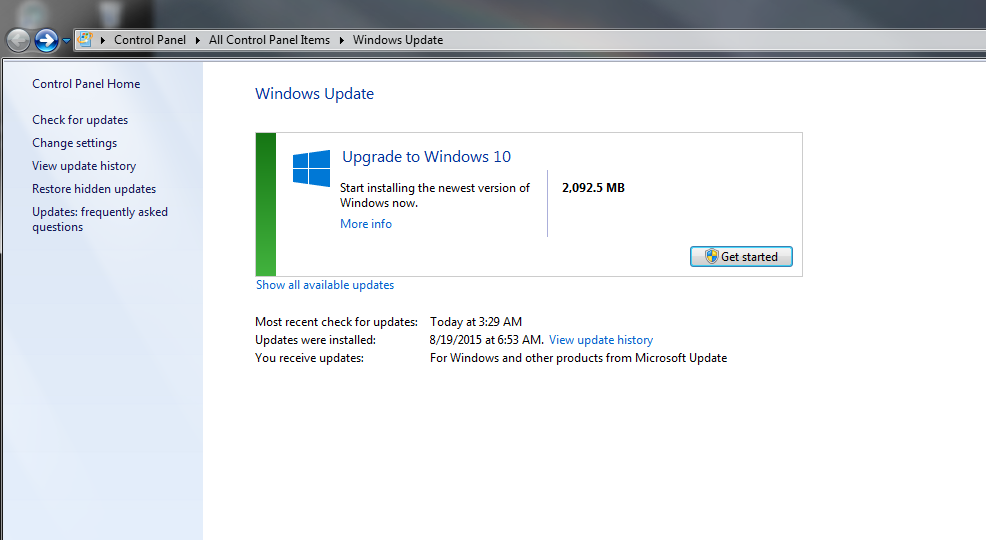
- Capture Compatibility with Windows 10 report.PNG (87.84 KiB) Viewed 2748 times
Then I checked for icons that are hidden from the tool bar. The W10 Icon is there inviting me to download Windows 10. I am tempted.
Re: Just a few thougths on windows 10
Posted: Sat Aug 29, 2015 5:19 pm
by Ohgary
garys wrote:Bruce wrote:Once you go Mac you'll never go back.

I use Windows at work only because I have to, so I'm experienced with both platforms (Windows up to version 7, which really sucks).
And, in the words of an IT guy I know, "But a Mac. Pay more and get less!"
If the world ran on Mac, IT guys could not earn those six figure salaries. I'm guessing that is why they usually dismiss Mac.
Re: Just a few thougths on windows 10
Posted: Sat Aug 29, 2015 6:13 pm
by dusty
It is strange how our individual preferences are formed. I grew to dislike the MAC when it was brand new on the market. The department manager was an Apple guy and he had a MAC network installed in the office where we worked. I had a PC at home. I could do everything I wanted to do on my PC and I had all sorts of problems with the system at work. I grew to really dislike the MAC. My wife has an iBook. I avoid it.
Thus, I prefer Microsoft. I have had some bad encounters with MS products but those were way back when - Windows NT, Windows ME and Windows95.
Since Windows XP, I have been very satisfied and I am now a satisfied user of both XP and Windows 7.
Re: Just a few thougths on windows 10
Posted: Sat Aug 29, 2015 8:43 pm
by Ed in Tampa
I have been an PC person from day one.
However I see many advantages in the way Apple does business.
Case in point in the last years most of their operation system updates were free. Now Microsoft is giving free up dates.
Windows came out with plug and play which Apple already had. Windows came out with gui which Apple already had.
Now we are finding many drivers for Windows 10 do not exist. Microsoft say it is the machine manufactures responsibility to write them but the OEM get no return. PC manufactures makes nothing having a programmer develop a new driver for a new release of Windows for machines they sold 4 years ago.
Apple often wrote their own drivers so that Oem machines would work correctly on their operating system. Plus Apple machines let you run Apple OS and Windows.
I can understand most old PC users don't like Apple. Apple's thrust is making it easy to get needed data. windows is thrust is running the computer. I talked to a Microsoft person at the Microsoft store about the Surface pro 3. I had done a number of searches in the MS App Store for apps I love on the iPad, non existed. So I asked about it. The person said why would you want an app when you can use a full program to do the same thing. I tried to explain that with an app I didn't have to install it, didn't have worry about needed hardware, didn't need a driver, didn't need to back it up, and if I'm not using it I don't even have to keep it on my machine. Plus it is designed to do exactly what I want I don't have to configure it or decide what modules I want to include or not. It doesn't try to install junk ware, give me a unneeded tool bar, change my computers default settings.
Example if I want to see the weather on Windows I must sign on Internet search for a weather info supplier and the go to their site and the select what weather I want. On my iPad I simple press the weather app icon and I'm given a picture of radar for my area along with temp, humidity, current conditions. I can select to see a 7 day forecast or what weather is like anywhere in the world. I realize I can set most of this up in windows but I must set it up on the iPad app it takes my GPS location and does the rest.
Re: Just a few thougths on windows 10
Posted: Sat Aug 29, 2015 9:31 pm
by reible
Since some people might not know this I'll post the following pictures. First is where the windows weather app is(W10), you know off the start screen. Second is the weather information, note more information is there then pictured but you have to scroll down to see it(I'll spare you that data).
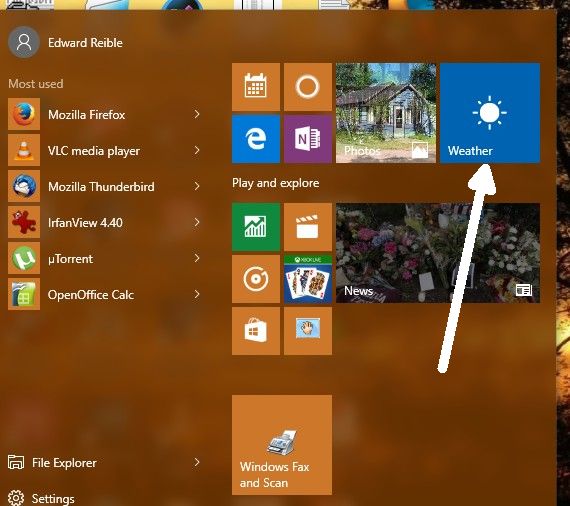
- ScreenHunter_50 Aug. 29 20.12.jpg (44.46 KiB) Viewed 2709 times
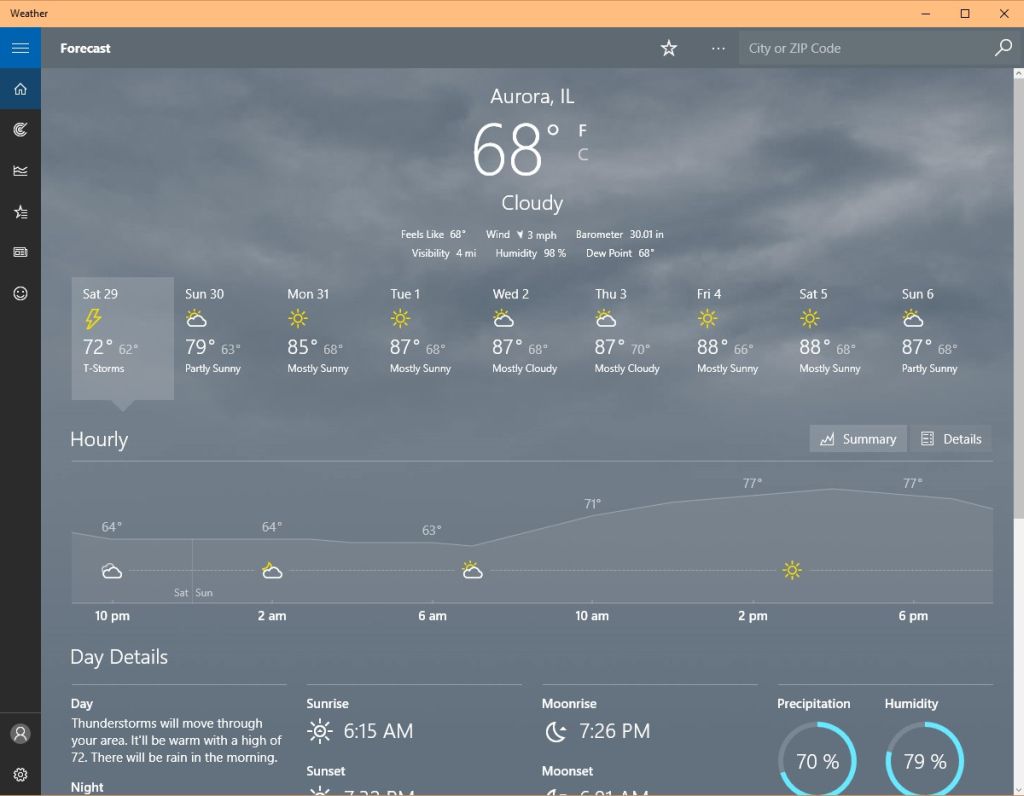
- ScreenHunter_51 Aug. 29 20.13.jpg (63.29 KiB) Viewed 2709 times
Of course this is not a new feature if you have been using windows 8 and above.
Ed
Re: Just a few thougths on windows 10
Posted: Sun Aug 30, 2015 12:50 pm
by jsburger
reible wrote:Since some people might not know this I'll post the following pictures. First is where the windows weather app is(W10), you know off the start screen. Second is the weather information, note more information is there then pictured but you have to scroll down to see it(I'll spare you that data).
ScreenHunter_50 Aug. 29 20.12.jpg
ScreenHunter_51 Aug. 29 20.13.jpg
Of course this is not a new feature if you have been using windows 8 and above.
Ed
Just out of curiosity, does the app allow you to see data from Personal Weather Stations (PWS data) or just NWS data?
I have a PWS here with two cameras. I upload my data to the Weather Underground (
http://www.wunderground.com). The station name is Eagles Lair and the station ID is KUTHOOPE1 if anyone is interested. The station hardware is a Davis Vantage Pro2. One of the cameras looks East and the other West.
Re: Just a few thougths on windows 10
Posted: Sun Aug 30, 2015 6:54 pm
by Ed in Tampa
Reible don't misunderstand I was using the weather app as an example of the benefit of an app versus using a program which was the Microsoft Rep's answer.
I really believe apps are the way to the future and I'm not sure Microsoft didn't mess up with windows 10 instead of focusing on apps more. Time will tell.
Microsoft says Windows 10 will be the last new operating system release, from here on out they will do upgrades so once you get all your drivers and things In place you should be good to go into whatever the future brings.
To my thinking smart money would wait for about 6 months then go buy a new computer with Windows 10 preinstalled baring some unforeseen thing in the future that should take you deep into the future.
Although I suspect the future is going to be more IPad/Chromebook like and less PC. I think drivers, program installs and tweaking this or that will be a thing of the past.