Page 1 of 2
W10 Quirk
Posted: Sun Aug 23, 2015 11:21 am
by JPG
WTH is this?
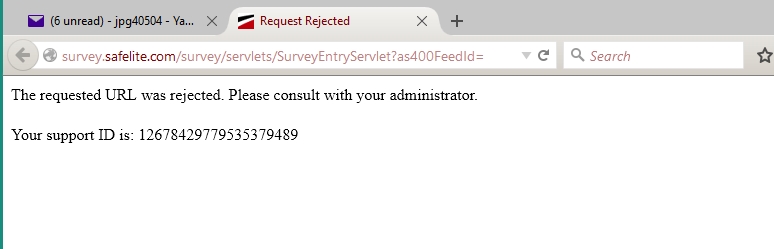
- w10 surprise.jpg (43.96 KiB) Viewed 1857 times
Orrrrr was it a problem on the other end?(Sheesh)
Re: W10 Quirk
Posted: Sun Aug 23, 2015 11:23 am
by JPG
BTW anyone know how to disable 'tapping' if that option is not apparent.(new driver came piggybacked with w10)
Re: W10 Quirk
Posted: Sun Aug 23, 2015 11:45 am
by garys
It sounds like you may or may not have options to disable tapping depending on what driver Windows loaded and whether a better one is available from your hardware vendor.
http://superuser.com/questions/729373/h ... on-windows
Re: W10 Quirk
Posted: Sun Aug 23, 2015 3:26 pm
by reible
When I go to the url I see this:
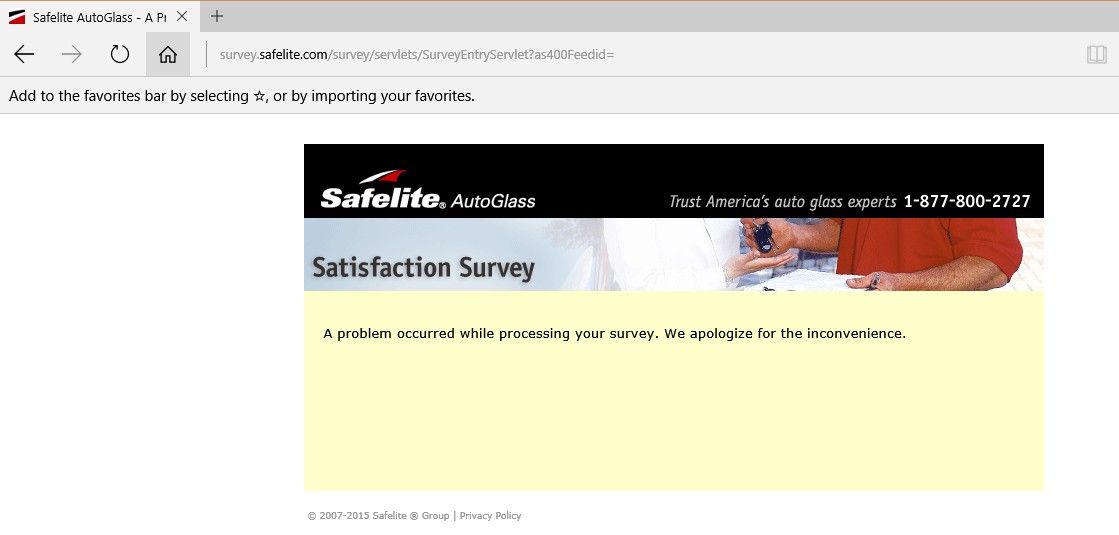
- ScreenHunter_49 Aug. 23 14.22.jpg (43.82 KiB) Viewed 1807 times
Ed
Re: W10 Quirk
Posted: Sun Aug 23, 2015 5:39 pm
by Ed in Tampa
JPG wrote:BTW anyone know how to disable 'tapping' if that option is not apparent.(new driver came piggybacked with w10)
That is the problem I had and I had to back off to windows 7, because I couldn't find a fix. Seems like windows 10 makes assumptions on touch pads that aren't valid. This causes them to load wrong or incorrect drivers.
Re: W10 Quirk
Posted: Sun Aug 23, 2015 6:03 pm
by garys
If your laptop is a fairly current model, the manufacturer will likely release an updated touchpad driver for Windows 10. Check their website regularly and you might find just what you need. Windows 10 is too new for all the right drivers to exist right now.
Re: W10 Quirk
Posted: Sun Aug 23, 2015 9:10 pm
by JPG
Those SA at Micropsoft ASSume that tapping is the only way to go. I find it a PITA that my touching the surface to make a pointer move is interpreted as a 'tap'. Causes all sorts of unwanted actions etc.
Yes a new driver was installed. No it has no way to kill the tap function.
An attempt to roll back the driver has not been successful. Somewhere Windows still thinks the touchpad is different from what W7 thought it was.
Re: W10 Quirk
Posted: Sun Aug 23, 2015 9:40 pm
by garys
What brand and model is your laptop? What driver was installed? None of the earlier versions of Windows ever found the right drivers by themselves, so there is no reason to expect Windows 10 to do any better. Windows will often default to some generic Microsoft driver that works only half way.
All my computers are HP. Every time I have ever installed Windows, Microsoft failed to find any of the specific HP drivers needed to make things work right. I have to go to HP support for my model and download the drivers and install them manually. Then, things work.
Microsoft writes an operating system, and doesn't supply the correct drivers. Windows does a miserable job of finding the drivers you need. You have to be smarter than Microsoft and find them yourself and then install them.
Re: W10 Quirk
Posted: Sun Aug 23, 2015 11:30 pm
by JPG
garys wrote:What brand and model is your laptop? What driver was installed? None of the earlier versions of Windows ever found the right drivers by themselves, so there is no reason to expect Windows 10 to do any better. Windows will often default to some generic Microsoft driver that works only half way.
All my computers are HP. Every time I have ever installed Windows, Microsoft failed to find any of the specific HP drivers needed to make things work right. I have to go to HP support for my model and download the drivers and install them manually. Then, things work.
Microsoft writes an operating system, and doesn't supply the correct drivers. Windows does a miserable job of finding the drivers you need. You have to be smarter than Microsoft and find them yourself and then install them.
Went to Toshiba and (re)got the correct driver.
Took a while and several restarts, but it all finally took!
Thanks to all who responded!!!!!
Re: W10 Quirk
Posted: Mon Aug 24, 2015 11:19 am
by Ed in Tampa
JPG wrote:Those SA at Micropsoft ASSume that tapping is the only way to go. I find it a PITA that my touching the surface to make a pointer move is interpreted as a 'tap'. Causes all sorts of unwanted actions etc.
Yes a new driver was installed. No it has no way to kill the tap function.
An attempt to roll back the driver has not been successful. Somewhere Windows still thinks the touchpad is different from what W7 thought it was.
Exactly! To me this is one area PC's fall short of Apple. The Apple touch pad had always been superior to what pc manufactures try to peddle to PC buyers.