Page 1 of 1
Adobe Acrobate Reader and Sketchup
Posted: Sat Aug 25, 2018 11:55 am
by dusty
If you feel like you are consuming a lot of memory space on your computer AND you do a lot of work with Sketchup, you might want to check (Internet Explorer) to see what sort of files Sketchup is saving.
Sketchup files, if saved as backups, end up in your memory as Adobe Acrobat Reader files that can not been opened by Adobe Acrobat because they have an .skp extension (not recognized by Adobe.
Sketchup preferences can be set so that every file you access, when saved, is saved with a backup. There is an Option (in Sketchup) to not do that.
Re: Adobe Acrobate Reader and Sketchup
Posted: Sat Aug 25, 2018 2:04 pm
by reible
dusty wrote:If you feel like you are consuming a lot of memory space on your computer AND you do a lot of work with Sketchup, you might want to check (Internet Explorer) to see what sort of files Sketchup is saving.
Sketchup files, if saved as backups, end up in your memory as Adobe Acrobat Reader files that can not been opened by Adobe Acrobat because they have an .skp extension (not recognized by Adobe.
Sketchup preferences can be set so that every file you access, when saved, is saved with a backup. There is an Option (in Sketchup) to not do that.
On my system the .skb files are not associated to any program but you can select what if any program you want to try to use to open them either each time or make it persistent. So far as I know these are only associated with sketchup so making them open with sketchup should be safe. Even if you have them associated with acrobat now you can change that very easily.
I like to have the backups and have had occasion to need them, that of course is a personal preference.
If you need help changing the association of those files let me know and I will post instructions.
Ed
Re: Adobe Acrobate Reader and Sketchup
Posted: Sun Aug 26, 2018 11:30 am
by dusty
Thank you, Ed. I appreciate the assistance.
What you describe appears to work when I am using my "OLD" computer which runs Wiundows 7; however, when I move to the newer computer running Windows 10 (if I have opted to create a backup) the backup is stored as an Adobe file.
I can read that file using Sketchup ONLY if I change the extension to .skp. This allows the file to be used (if needed) but seems like more effort than should be required.
For the moment, I have opted to not create a BU. Until I buy my new computer which will have plenty of memory I will run the risk of "no backup".
Re: Adobe Acrobate Reader and Sketchup
Posted: Sun Aug 26, 2018 12:35 pm
by JPG
I think the extension is changed so the backup is different from the 'original', but keeps the original base name.(SK b for backup)
Clumsy I agree.
Seems file association differs on the different computers(defined differently but redefinable as Ed said).
Re: Adobe Acrobate Reader and Sketchup
Posted: Sun Aug 26, 2018 1:33 pm
by dusty
JPG wrote:I think the extension is changed so the backup is different from the 'original', but keeps the original base name.(SK b for backup)
Clumsy I agree.
Seems file association differs on the different computers(defined differently but redefinable as Ed said).
Ed uses Windows 10 so I thought that my experience should be the same as his. It appears, though, that my system works somewhat differenly that his. His backup file is not stored in Adobe format and can be read by Sketchup without altering the extension.
Re: Adobe Acrobate Reader and Sketchup
Posted: Sun Aug 26, 2018 1:47 pm
by JPG
I do not think it is a windows version thing per se, but rather the file association definitions differ in the different computers.
I also question whether it is a pdf file, but rather think that your definition lists adobe as associated with SKB files.
If you rename the file with a 'pdf' extension, I doubt Adobe will read it.
Since renaming the file to 'skp' allows Sketchup to read it, i think it is a sketchup file regardless of what it's name extension is.
IIWM, I would have retained both the base file name and it's extension, but appended a suffix(1,2,3 or a,b,c...) to the original base name(the part to the left of the ".").
But then I did not create Sketchup!
Re: Adobe Acrobate Reader and Sketchup
Posted: Sun Aug 26, 2018 2:33 pm
by reible
How about we just run through how to do the association fix for in the future when you might want to have the backups.
BTW rather then more another computer you might want to start using a cloud drive. I have a couple of them with TB's of space so running out of space is pretty much a thing of the past at my house. If I need more space I can just add another disk to the cloud and all is well again.
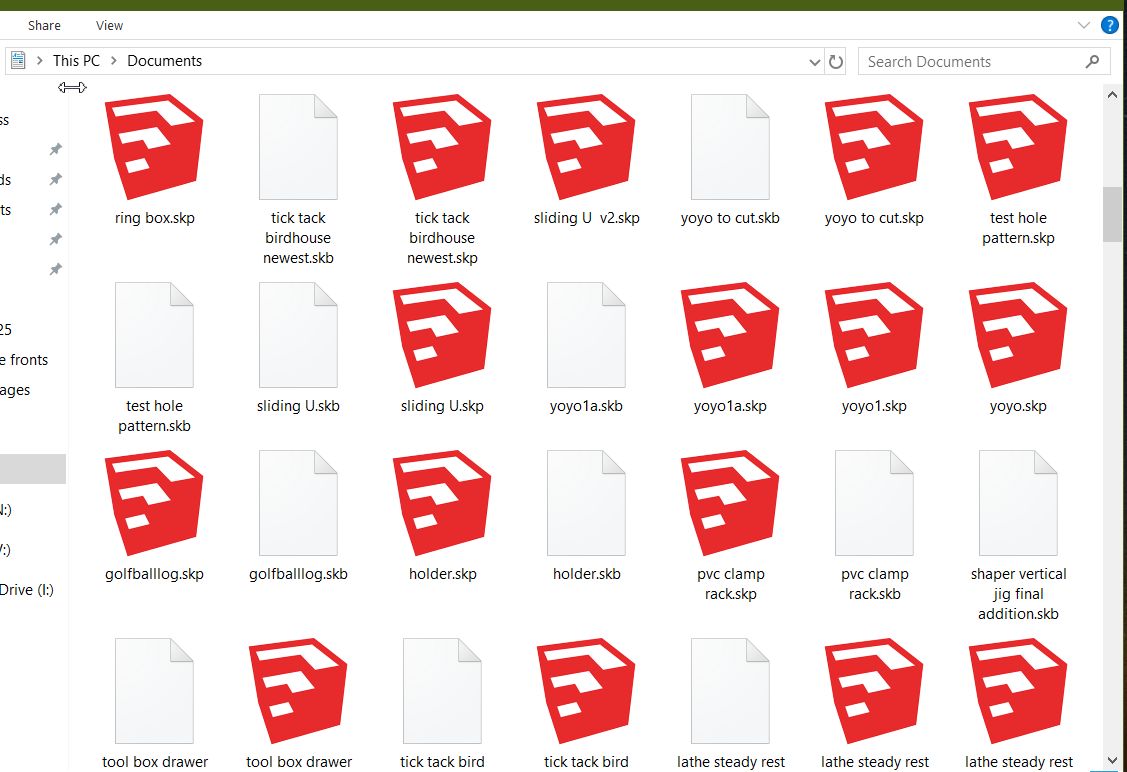
But on to the situation at hand. You go to the area where your files are stored and depending on how you have it displayed you will see something like this:
- ScreenHunter 85.jpg (106.04 KiB) Viewed 8043 times
As you can see the backup files are not associated on this computer. So if I want to use that file with say sketchup I can right click on it and it brings up this:
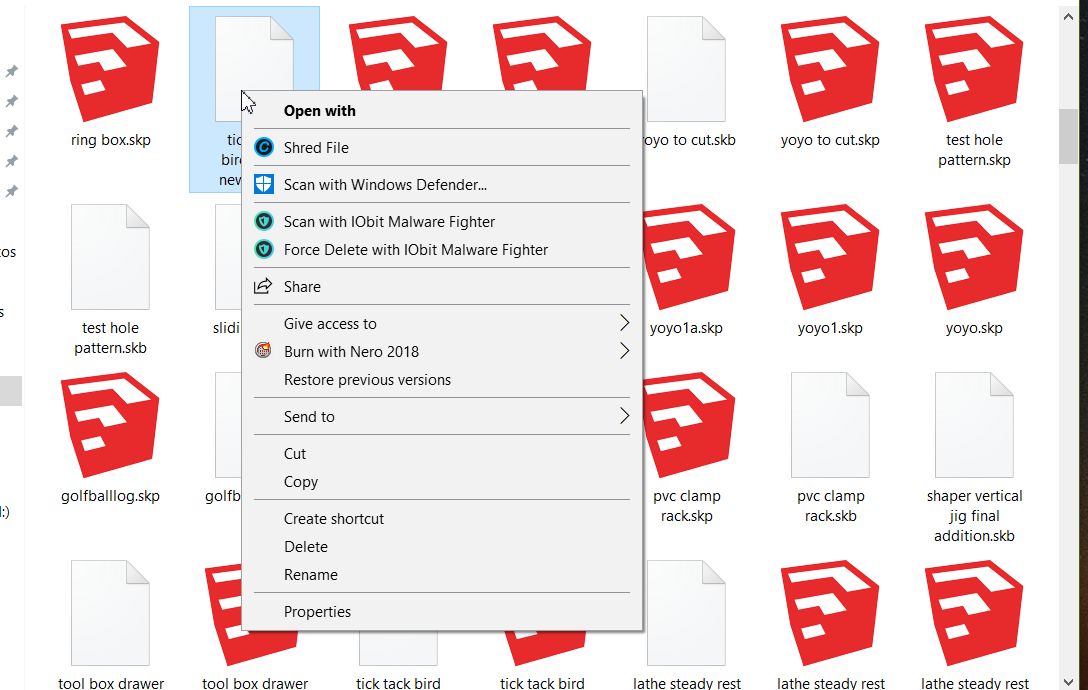
- ScreenHunter 86.jpg (98.83 KiB) Viewed 8043 times
The box allows you to search for an application but since we already know what we want to use the next line down has " More apps" so clicking that brings us this:
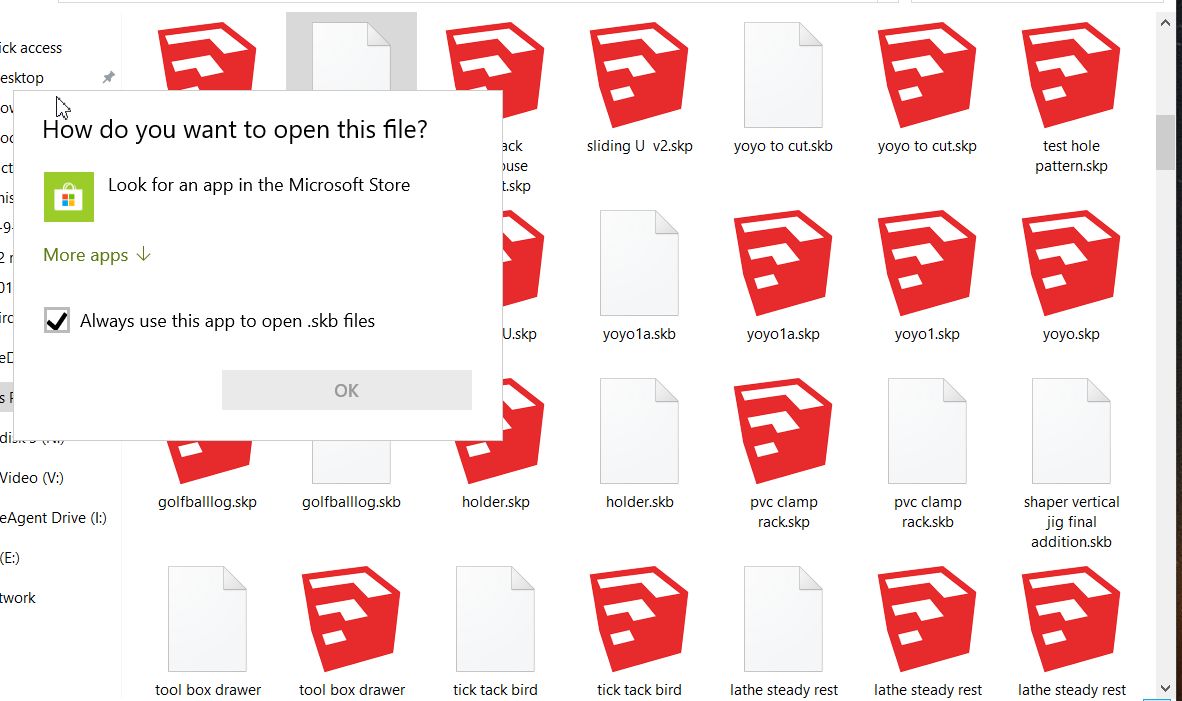
- ScreenHunter 87.jpg (100.84 KiB) Viewed 8043 times
Then on the bottom is the sketchup association that you want. Keep in mind that the check box when checked will set this as the default, if unchecked it changes nothing except for this one time.
This does not change the file but just the association of that file extension.
So if you check the box to change this association for all of these back up files then every time you double click the files they will open with sketchup. One little oddity is the first time you do it you have the option of using sketch up or searching for another application, if you pick sketchup then it becomes set and look at what happens to the files:
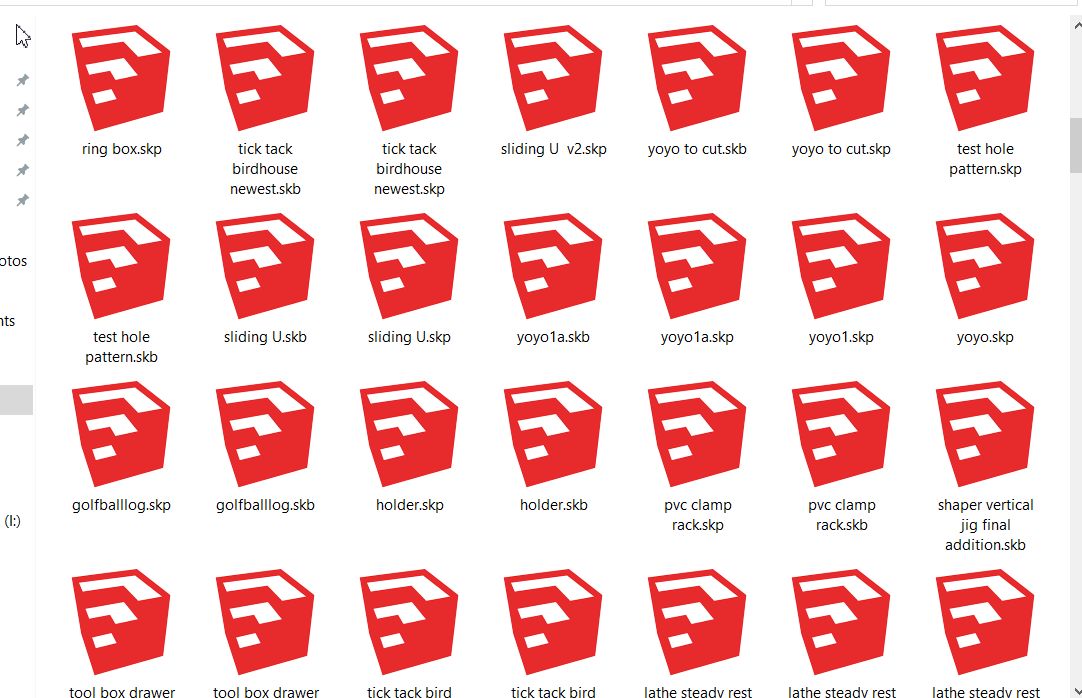
- ScreenHunter 89.jpg (120.53 KiB) Viewed 8043 times
Which then makes it up to you to pick the real file rather then the backup.... perhaps a bit more confusing??? So you might not want to make that a "thing".
Ed