Page 1 of 3
Model ID Help
Posted: Wed Aug 04, 2021 5:38 pm
by bdb76
Hello all! This is my first post since I am a new member. I need help identifying my shopsmith. It was given to me by my Uncle which he received from my grandfather. She still runs great but I am looking to clean her up a bit along with some of the accessories she came with. I’m probably going to have to purchase some accessories/adapters as well.
5307C834-50E7-45FF-B4EE-3E80D54D7445.jpeg
Any info is greatly appreciated! Thanks in advance!
DD34EDCF-9D63-4E9A-BAFC-66BFB812528C.jpeg[/attac[attachment=0]5307C834-50E7-45FF-B4EE-3E80D54D7445.jpeg
Re: Model ID Help
Posted: Wed Aug 04, 2021 5:44 pm
by JPG
A picture of the entire unit will help.
Re: Model ID Help
Posted: Wed Aug 04, 2021 5:48 pm
by jsburger
It is a Shopsmith Model 10ER. As JPG said lets see more pictures of the entire unit and the accessories you have.
Re: Model ID Help
Posted: Wed Aug 04, 2021 8:41 pm
by bdb76
I’m having trouble attaching photos. It says they are too big

Re: Model ID Help
Posted: Thu Aug 05, 2021 1:11 am
by Majones1
bdb76 wrote: Wed Aug 04, 2021 8:41 pm
I’m having trouble attaching photos. It says they are too big
Yes, it’s a bit of a challenge to add photos to our posts, but once you figure it out it will be worth it! Photos make a lot of difference in both getting help and in helping others. Plus it makes this forum a lot more interesting. There’s a post in the Community topic on how to post photos, it’s located at:
viewtopic.php?f=7&t=19246
Here are a couple of tips I’ve discovered that enable me to consistently post decent photos. There is a limit on the photo file size and the number of photos in each message posted, and that is noted in the post thread I included above.
I’m using an iPhone which takes high resolution photos, and therefore are typically a large file size, plus I haven’t found a way to edit them to easily reduce the resolution/ file size. I don’t know who suggested this previously, but I’ve learned to take the photo(s) I want to post and e-Mail it(them) to myself. As I send the photo the mail app asks me to select a photo file size I want to send, so I choose as large as I can while keeping it below the phpBB limitation. After receiving the e-mail I just sent to myself, I then save the attached photo(s) to my iPhone’s photo collection. This results in duplicate photos in the collection, but the duplicate is a much smaller file size. Even though the size is smaller I have found the image quality to still be very good.
Another important thing to remember is to be sure to turn the iPhone sideways when you take the photo otherwise when you post your photo the phpBB forum will place the photo sideways in your posted message.
If you remember these tricks, and follow the instructions found at the above link you will be able to include excellent photos.
Re: Model ID Help
Posted: Thu Aug 05, 2021 5:57 am
by bdb76
Thank You!! I’m going to try it out
Re: Model ID Help
Posted: Thu Aug 05, 2021 6:14 am
by bdb76
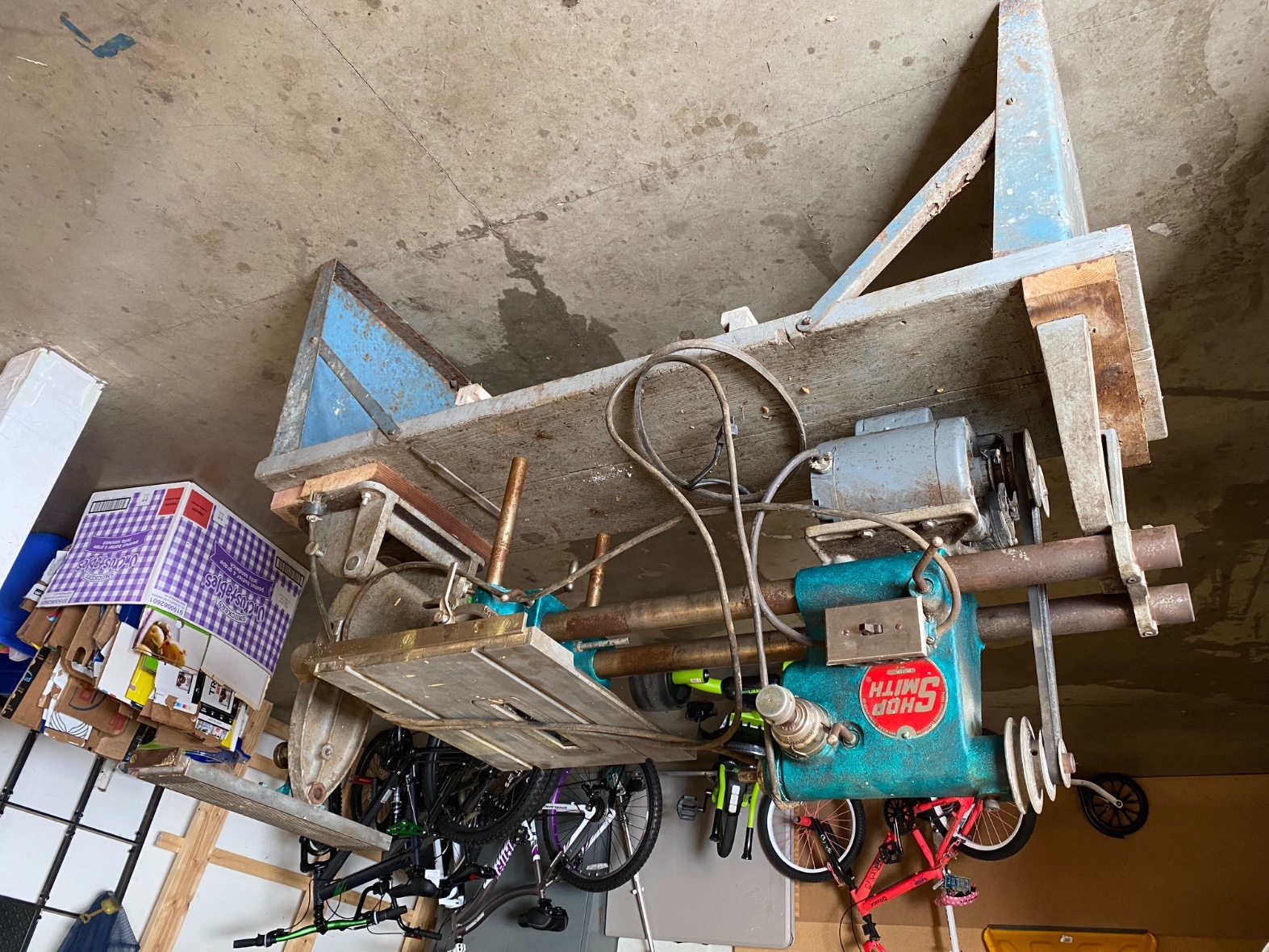
- IMG_0960.jpg (800.04 KiB) Viewed 866 times
Re: Model ID Help
Posted: Thu Aug 05, 2021 6:15 am
by bdb76
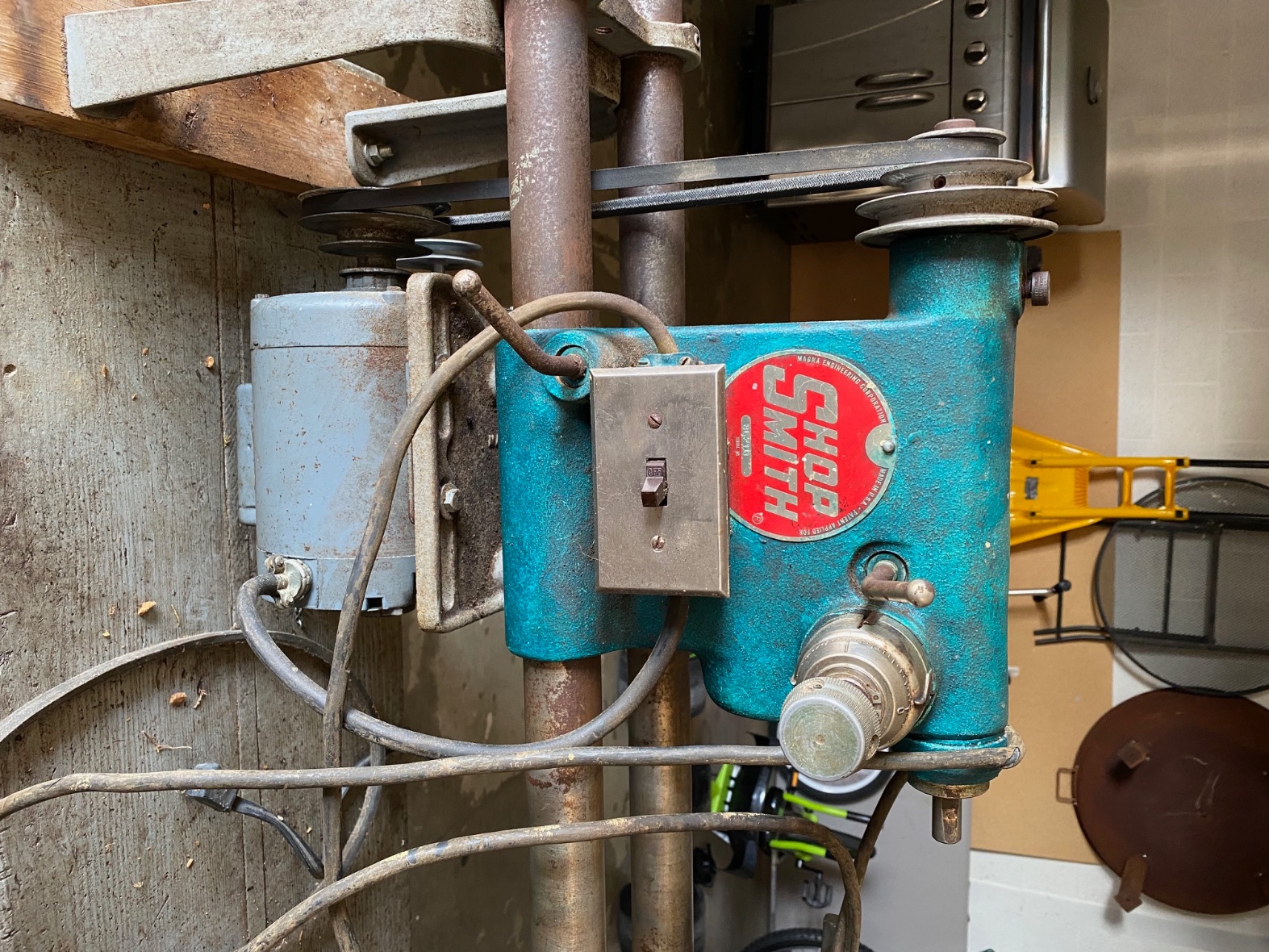
- IMG_0961.jpg (808.75 KiB) Viewed 866 times
Re: Model ID Help
Posted: Thu Aug 05, 2021 6:16 am
by bdb76
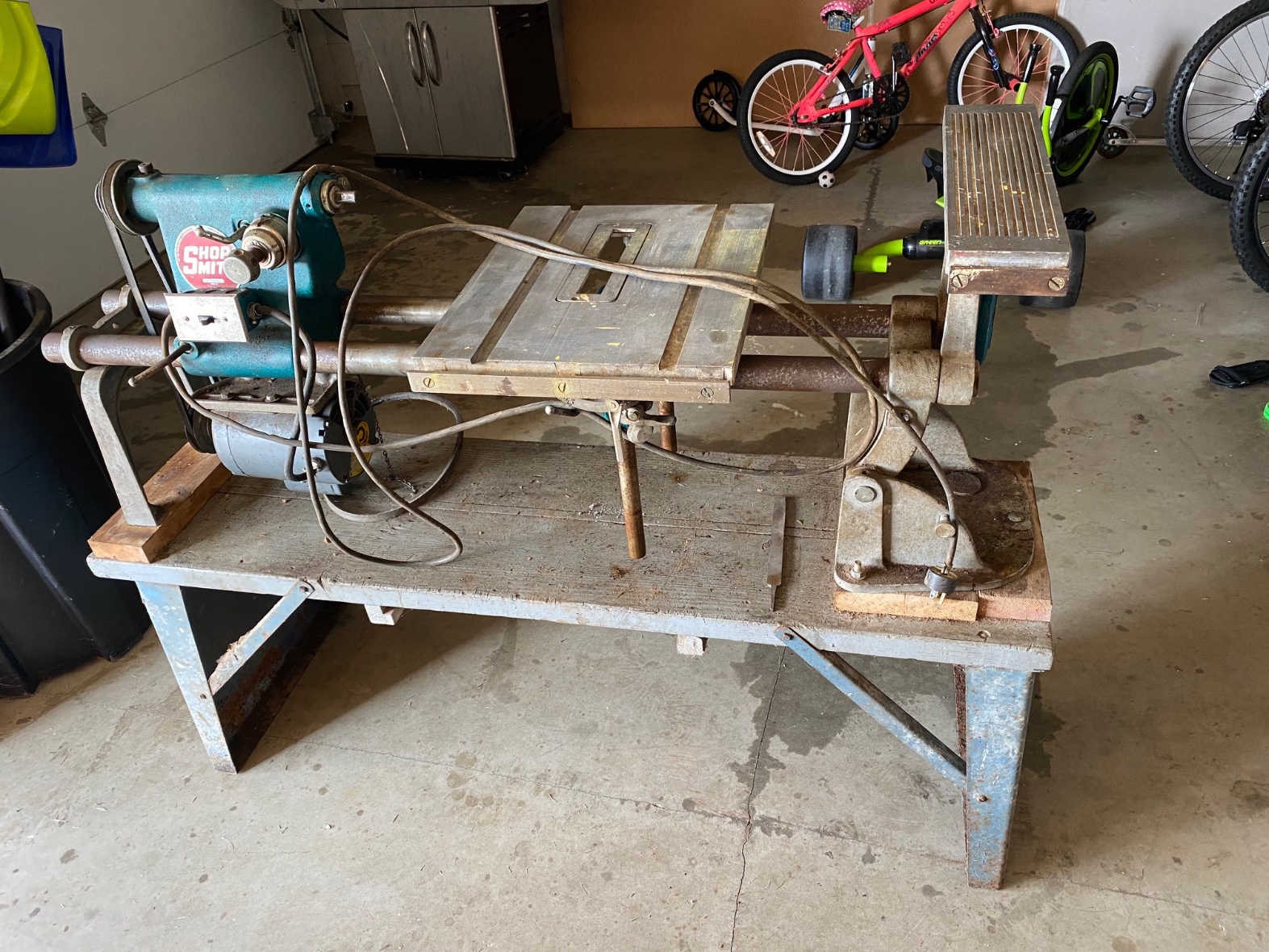
- IMG_0964.jpg (737.29 KiB) Viewed 866 times
Re: Model ID Help
Posted: Thu Aug 05, 2021 9:29 am
by JPG
A 10ER it is.
Understand WHY the first pix is upside down?
You need to familiarize thy self with "evaporust" and "electrolysis".
