Page 1 of 5
A Possible Virus
Posted: Mon Feb 08, 2010 6:52 pm
by dusty
Is anyone experiencing a virus based security problem with shopsmith.net. I have been alerted by my security software that this this site is the source of a virus that has invaded my computer.
I was alerted by a pop up warning and then offered a solution that I chose to have happen. Don't fall for it. It is a scam. My credit card company alerted me when the charge (that I had authorized) to my account was detected by them to be from a fraudulent source.
Be suspicious of any virus related issues that occur. The IP address associated with the fraudulent activity is 128.154.26.11.
Posted: Mon Feb 08, 2010 7:22 pm
by kameljoe21
i had something to the effect that involved windows defender
they wanted me to download and pay for some crappy program
it almost locked me out of my computer
i had to spend a few hours to bypass it and del that crap, and i wonder who was on my computer downloading crappy games ( i know who, and have stop that from happing again)
Posted: Mon Feb 08, 2010 7:42 pm
by kameljoe21
just an update
if you want to know what is running on you computer, this can also relate to some types of virus
go to you "run" box...
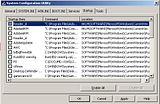
type in msconfig ( ( microsoft ) system configuration utility )
there are 2 tabs that you want to look at...
Startup: these are the icons that are next to your clock, most of the items that are listed do not, and i stress do not need to run at start up, the only things that you should have running are you Anti Virus programs.
other things like IM clients, adobe, i tunes, ect can be started via the click or usage of that app, or you physicaly starting it your self
Services: can include google update ect ( this one you must click hide all microsoft services )

Posted: Mon Feb 08, 2010 8:45 pm
by dusty
I think that I now have my firewall back up but I am not sure. What concerns me is the fact that "Shopsmith.net" was listed as the source.
Posted: Mon Feb 08, 2010 9:46 pm
by paul269
Dusty,
Are you sure about the IP? You can search any IP at ARIN
https://ws.arin.net/whois/?queryinput=128.154.26.11
Posted: Tue Feb 09, 2010 12:08 am
by etc92guy
This has been going on since the 1st of the year. 80 workstations. And I had to visit each one individually. I still have one to go that got hit hard and may not be recoverable. Plus one of my private clients got hit.
Here's my recommendation. It isn't the only way to disinfect yourself, but it has worked for me:
- Download and install Malwarebytes. ( Do this from http://download.cnet.com/Malwarebytes-A ... ?tag=mncol, a safe site )
- Run MalwareBytes FULL SCAN. The quick scan won't cut it. Quarantine/delete the infections.
- Download and install Advance System Care ( Do this from http://download.cnet.com/Advanced-Syste ... ?tag=mncol )
- Run it, update the definition files, and let it scan for Spyware and quarantine/delete the infections.
- Download Microsoft Security Essentials and install it. (http://www.microsoft.com/security_essentials)
- Update the Definition file, if necessary
- Run the Full Scan.
The thing to remember is that one tool is not enough and won't catch everything. MalwareBytes will take care of a large number of intrusions. Advanced System Care will take care of some more. Essentials will take care of a few remaining. Essentials will also stop anything from re-installing itself and then quarantine the file that the bug came from. I've seen this on two systems.
I leave Essentials turned on and deinstall MalwareBytes and Advance System Care. Deinstallation is a personal preference dependent on how much system resource is available. All these tools are free. Be aware that with Essentials it isn't unusual to start the scan and go to bed. You can review the results in the morning.
The most impressive one is Essentials. I highly recommend it. On my laptop I am running the latest release of Avast! which is also free. No issues and seems to be doing the job. Environment is XP and Vista.
I used to use Ad-aware and Spybot, but they seem to have fallen behind the times.
Posted: Tue Feb 09, 2010 6:42 am
by dusty
Yes, I am certain that is the IP referenced in the warning BUT after doing the query you gave me it does seem strange.
BTW I still have the problem.
Craig - thanks for the references. I have Essentials loaded but that is the only one of those you recommended.
The virus detected is reportedly LSAS.Trojan-Spy.DOS.Keycopy.
The message say: Data Interception was detected while visiting
http:\\
www.shopsmith.net.
If my computer is attacked, it seems logical that that would be the connection. It resides there most of the time.
At first, I thought the shopsmith site was somehow involved but I no longer believe that.
My credit card company convinced me that I had a problem when they called me yesterday and told me that a suspicious entry (known scam) had been made you my account for $49.50.
Yes, I was suckered into the warning and signed up for protection.
As a result of the bank call - my credit card account has been disabled which means that my order at Shopsmith will be blocked. Have to call CS first thing after business opens.
Just got the pop up warning again.
Posted: Tue Feb 09, 2010 9:58 am
by heathicus
Dusty, you're not infected with Lsas.Trojan-Spy.DOS.Keycopy. You're infected with "Malware Destructor 2009."
See this page and
this page for info and removal instructions.
Don't feel bad at being suckered, Dusty. That particular form of trojan is quite effective and has gotten a LOT of people. People are afraid of computer viruses so when something pops up saying "You have a virus! Click here to remove it!" a lot of people do. What you have is a fake "anti-virus" program that is a virus itself. The sole purpose is to get your credit card info by getting you to sign up for their "protection." And it lied to you when it said Shopsmith's website was the source of the virus.
I do a little computer repair work on the side for some extra income and the majority of the work I get is to clean up this exact problem. (The second most common "problem" is general computer slowness due to their teenagers installing a dozen different music downloading programs and instant messengers and web browser toolbars). I've had really good luck with MalWareBytes Anti-Malware, so I will echo etc92guy's recommendation on that. I also use the free version of Avast! and between those two programs I'm able to clean most of the infections. I haven't used the other programs he mentioned and will have to check them out.
Posted: Tue Feb 09, 2010 11:10 am
by mickyd
The 'pop up' alert you originally mentioned dusty also tried to hit me at the yahoo ER group forum. It told me the site was infected and that my PC had many various viruses. I never believe any pop up except from Norton. I will not even click on the close button on the window. Instead, I use CTRL-ALT-DEL to open task manager and close the pop window from there.
Posted: Tue Feb 09, 2010 11:17 am
by heathicus
mickyd wrote:The 'pop up' alert you originally mentioned dusty also tried to hit me at the yahoo ER group forum. It told me the site was infected and that my PC had many various viruses. I never believe any pop up except from Norton. I will not even click on the close button on the window. Instead, I use CTRL-ALT-DEL to open task manager and close the pop window from there.
Yep, that's the way to do it. I forgot to mention that.

