If you don't have to, don't attempt any changes to Firefox.
I attempted an update and now I cannot get into Firefox at all.
A popup tells me I am already running Firefox and I have to quit before I can start.
In task manager, I have no Firefox running. I'm up in IE right now.
Firefox
Moderator: admin

It takes a few moments for firefox to clear away. If you click too soon it see the process and will not start but by the time you see that message there is a good chance it has stopped and will now run.dusty wrote:If you don't have to, don't attempt any changes to Firefox.
I attempted an update and now I cannot get into Firefox at all.
A popup tells me I am already running Firefox and I have to quit before I can start.
In task manager, I have no Firefox running. I'm up in IE right now.
If it is still not starting then go look at all the processes that are running, might 70 80 or even more running. Click on the name heading and it will put them in alphabetic order and you will find it under firefox, click and close and don't worry about the warning.
Ed

Ed, you had a good response but you assumed that readers knew how to do what you were suggesting. Anyone who has never done what you are suggesting won't have a clue on how to do it. Give specific details and pictures.reible wrote:If it is still not starting then go look at all the processes that are running, might 70 80 or even more running. Click on the name heading and it will put them in alphabetic order and you will find it under firefox, click and close and don't worry about the warning.Ed
How do you give specific details? Well, first your install the auto-loading software for the superperfoxinator and then link it to the trichometric indicator support system. That's all there is to it. From then on it is all automatic. Clear?
Now, a more serious answer: I don't know what you were trying to do. If it is installing/updating the don't right away. Often there are some things that don't work. Wait a couple of months.
If we had a better description we could help more.
I'm running beta firefox on three machines without issues, been there done that before they go to standard release. Pretty sure I know what is happening on his machine.
If I were on a windows 7 or xp system I would do a screen capture and post it but I'm on windows 8 tonight and it looks total different so I doubt it would be of much help.
If you know how to get to the task manager as he indicated you are most of the way home. If he wants more help I'll bring up my other system and provide some captures. For now I'll wait for his response to find out if he wants more information/help.
Ed
If I were on a windows 7 or xp system I would do a screen capture and post it but I'm on windows 8 tonight and it looks total different so I doubt it would be of much help.
If you know how to get to the task manager as he indicated you are most of the way home. If he wants more help I'll bring up my other system and provide some captures. For now I'll wait for his response to find out if he wants more information/help.
Ed
db5 wrote:Ed, you had a good response but you assumed that readers knew how to do what you were suggesting. Anyone who has never done what you are suggesting won't have a clue on how to do it. Give specific details and pictures.
How do you give specific details? Well, first your install the auto-loading software for the superperfoxinator and then link it to the trichometric indicator support system. That's all there is to it. From then on it is all automatic. Clear?
Now, a more serious answer: I don't know what you were trying to do. If it is installing/updating the don't right away. Often there are some things that don't work. Wait a couple of months.
If we had a better description we could help more.
Dusty, have you rebooted?
Heath
Central Louisiana
-10ER - SN 13927, Born 1949, Acquired October 2008, Restored November, 2008
-10ER - SN 35630, Born 1950, Acquired April 2009, Restored May 2009, A34 Jigsaw
-Mark V - SN 212052, Born 1986, Acquired Sept 2009, Restored March 2010, Bandsaw
-10ER - SN 39722, Born 1950, Acquired March 2011, awaiting restoration
Central Louisiana
-10ER - SN 13927, Born 1949, Acquired October 2008, Restored November, 2008
-10ER - SN 35630, Born 1950, Acquired April 2009, Restored May 2009, A34 Jigsaw
-Mark V - SN 212052, Born 1986, Acquired Sept 2009, Restored March 2010, Bandsaw
-10ER - SN 39722, Born 1950, Acquired March 2011, awaiting restoration
-
robinson46176
- Platinum Member
- Posts: 4182
- Joined: Mon Mar 09, 2009 9:00 pm
- Location: Central Indiana (Shelbyville)
heathicus wrote:Dusty, have you rebooted?
When in doubt, reboot...
If rebooting isn't enough reboot twice. Sometimes once doesn't reset everything (there is an awful lot going on and sequence of resets can matter somehow at times).
I recall that problem happening when I was running Firefox but it has been a while since I have used it and much longer since I used Windows. I am pretty sure though that it still did happen with Firefox running on Linux too...
I now Browse with Google Chromium which is the Linux version of Chrome. It doesn't seem to matter much what you use. No matter how good what you are using seems there will still about always be some #$%& annoyance.

I am always a little surprised at how much differently one browser will render a given page than another and none of them work 100% on every site out there.
.
--
farmer
Francis Robinson
I did not equip with Shopsmiths in spite of the setups but because of them.
1 1988 - Mark V 510 (bought new), 4 Poly vee 1 1/8th HP Mark V's, Mark VII, 1 Mark V Mini, 1 Frankensmith, 1 10-ER, 1 Mark V Push-me-Pull-me Drillpress, SS bandsaw, belt sander, jointer, jigsaw, shaper attach, mortising attach, TS-3650 Rigid tablesaw, RAS, 6" long bed jointer, Foley/Belsaw Planer/molder/ripsaw, 1" sander, oscillating spindle/belt sander, Scroll saw, Woodmizer sawmill
farmer
Francis Robinson
I did not equip with Shopsmiths in spite of the setups but because of them.
1 1988 - Mark V 510 (bought new), 4 Poly vee 1 1/8th HP Mark V's, Mark VII, 1 Mark V Mini, 1 Frankensmith, 1 10-ER, 1 Mark V Push-me-Pull-me Drillpress, SS bandsaw, belt sander, jointer, jigsaw, shaper attach, mortising attach, TS-3650 Rigid tablesaw, RAS, 6" long bed jointer, Foley/Belsaw Planer/molder/ripsaw, 1" sander, oscillating spindle/belt sander, Scroll saw, Woodmizer sawmill
-
robinson46176
- Platinum Member
- Posts: 4182
- Joined: Mon Mar 09, 2009 9:00 pm
- Location: Central Indiana (Shelbyville)
heathicus wrote:Dusty, have you rebooted?
When in doubt, reboot...
If rebooting isn't enough reboot twice. Sometimes once doesn't reset everything (there is an awful lot going on and sequence of resets can matter somehow at times).
I recall that problem happening when I was running Firefox but it has been a while since I have used it and much longer since I used Windows. I am pretty sure though that it still did happen with Firefox running on Linux too...
I now Browse with Google Chromium which is the Linux version of Chrome. It doesn't seem to matter much what you use. No matter how good what you are using seems there will still about always be some #$%& annoyance.
I am always a little surprised at how much differently one browser will render a given page than another and none of them work 100% on every site out there.
.
--
farmer
Francis Robinson
I did not equip with Shopsmiths in spite of the setups but because of them.
1 1988 - Mark V 510 (bought new), 4 Poly vee 1 1/8th HP Mark V's, Mark VII, 1 Mark V Mini, 1 Frankensmith, 1 10-ER, 1 Mark V Push-me-Pull-me Drillpress, SS bandsaw, belt sander, jointer, jigsaw, shaper attach, mortising attach, TS-3650 Rigid tablesaw, RAS, 6" long bed jointer, Foley/Belsaw Planer/molder/ripsaw, 1" sander, oscillating spindle/belt sander, Scroll saw, Woodmizer sawmill
farmer
Francis Robinson
I did not equip with Shopsmiths in spite of the setups but because of them.
1 1988 - Mark V 510 (bought new), 4 Poly vee 1 1/8th HP Mark V's, Mark VII, 1 Mark V Mini, 1 Frankensmith, 1 10-ER, 1 Mark V Push-me-Pull-me Drillpress, SS bandsaw, belt sander, jointer, jigsaw, shaper attach, mortising attach, TS-3650 Rigid tablesaw, RAS, 6" long bed jointer, Foley/Belsaw Planer/molder/ripsaw, 1" sander, oscillating spindle/belt sander, Scroll saw, Woodmizer sawmill
-
dusty

- Platinum Member
- Posts: 21530
- Joined: Wed Nov 22, 2006 6:52 am
- Location: Tucson (Wildcat Country), Arizona
Firefox
Some very SLIGHT changes to my original situation.
I have removed Firefox completely and then reinstalled it. I've actually done that two ways. I loaded a previous version with no favorable results to report AND I have loaded a copy from a different machine.
When I tried to run that copy, I was informed that there was a later version (which I knew) and I was given the opportunity to load that. It loaded version 17.
Prior to doing any of that, I had checked task manager to make certain that there was no Mozilla software running. There was none. Actually, there was nothing (applications) running.
Same problem with the new load. Somewhere in my research I that read something about the icon on the task bar not working. So I deleted the icon from the task bar and ran it from the "All Programs" listing. Same problem.
What is this I see? "Run As Administrator". Well since I am both the user and the administrator, I ought to be able to do that without danger.
Aah, It is clumsy (involves a couple more clicks) but it works.
It comes up from both a cold boot and after being up and running but only if I "Run as Administrator".
This has to be something internal to my machine and likely something that involves more than just Firefox. Rights and Privileges seems like a starting point, but.....that can have far reaching consequences.
In the hours before this problem was noticed, I had been attempting to use Microsoft Media Center. Microsoft instructs me, in the help files, to reload Microsoft Media Center. I have that on disk, the same disk where I got W7. I had more problems getting W7 running than you can imagine. Even though that problem turned out to be a bad HD, I am not going to reload Windows. I'll just do without MMC.
It really galls me to abandon a problem without fixing it but that is what I am going to do with this one.
Unless someone comes up with a "sure fix".
I have removed Firefox completely and then reinstalled it. I've actually done that two ways. I loaded a previous version with no favorable results to report AND I have loaded a copy from a different machine.
When I tried to run that copy, I was informed that there was a later version (which I knew) and I was given the opportunity to load that. It loaded version 17.
Prior to doing any of that, I had checked task manager to make certain that there was no Mozilla software running. There was none. Actually, there was nothing (applications) running.
Same problem with the new load. Somewhere in my research I that read something about the icon on the task bar not working. So I deleted the icon from the task bar and ran it from the "All Programs" listing. Same problem.
What is this I see? "Run As Administrator". Well since I am both the user and the administrator, I ought to be able to do that without danger.
Aah, It is clumsy (involves a couple more clicks) but it works.
It comes up from both a cold boot and after being up and running but only if I "Run as Administrator".
This has to be something internal to my machine and likely something that involves more than just Firefox. Rights and Privileges seems like a starting point, but.....that can have far reaching consequences.
In the hours before this problem was noticed, I had been attempting to use Microsoft Media Center. Microsoft instructs me, in the help files, to reload Microsoft Media Center. I have that on disk, the same disk where I got W7. I had more problems getting W7 running than you can imagine. Even though that problem turned out to be a bad HD, I am not going to reload Windows. I'll just do without MMC.
It really galls me to abandon a problem without fixing it but that is what I am going to do with this one.
Unless someone comes up with a "sure fix".
"Making Sawdust Safely"
Dusty
Sent from my Dell XPS using Firefox.
Dusty
Sent from my Dell XPS using Firefox.
-
robinson46176
- Platinum Member
- Posts: 4182
- Joined: Mon Mar 09, 2009 9:00 pm
- Location: Central Indiana (Shelbyville)
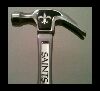
Sure fire...
[attach]19169[/attach]

.
[attach]19169[/attach]
.
- Attachments
-
- temp - sledge.jpg (2.32 KiB) Viewed 1261 times
--
farmer
Francis Robinson
I did not equip with Shopsmiths in spite of the setups but because of them.
1 1988 - Mark V 510 (bought new), 4 Poly vee 1 1/8th HP Mark V's, Mark VII, 1 Mark V Mini, 1 Frankensmith, 1 10-ER, 1 Mark V Push-me-Pull-me Drillpress, SS bandsaw, belt sander, jointer, jigsaw, shaper attach, mortising attach, TS-3650 Rigid tablesaw, RAS, 6" long bed jointer, Foley/Belsaw Planer/molder/ripsaw, 1" sander, oscillating spindle/belt sander, Scroll saw, Woodmizer sawmill
farmer
Francis Robinson
I did not equip with Shopsmiths in spite of the setups but because of them.
1 1988 - Mark V 510 (bought new), 4 Poly vee 1 1/8th HP Mark V's, Mark VII, 1 Mark V Mini, 1 Frankensmith, 1 10-ER, 1 Mark V Push-me-Pull-me Drillpress, SS bandsaw, belt sander, jointer, jigsaw, shaper attach, mortising attach, TS-3650 Rigid tablesaw, RAS, 6" long bed jointer, Foley/Belsaw Planer/molder/ripsaw, 1" sander, oscillating spindle/belt sander, Scroll saw, Woodmizer sawmill
Dusty, when you open the Task Manager, look on the Processes tab rather than the Applications tab. You'll likely see the hung Firefox process there and will have the option to end it.
Heath
Central Louisiana
-10ER - SN 13927, Born 1949, Acquired October 2008, Restored November, 2008
-10ER - SN 35630, Born 1950, Acquired April 2009, Restored May 2009, A34 Jigsaw
-Mark V - SN 212052, Born 1986, Acquired Sept 2009, Restored March 2010, Bandsaw
-10ER - SN 39722, Born 1950, Acquired March 2011, awaiting restoration
Central Louisiana
-10ER - SN 13927, Born 1949, Acquired October 2008, Restored November, 2008
-10ER - SN 35630, Born 1950, Acquired April 2009, Restored May 2009, A34 Jigsaw
-Mark V - SN 212052, Born 1986, Acquired Sept 2009, Restored March 2010, Bandsaw
-10ER - SN 39722, Born 1950, Acquired March 2011, awaiting restoration