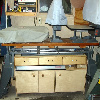
I just looked at the original picture. The slit is too long, the inner tube should be solid adjacent to where the set screw makes contact. It is no wonder it squeezes the tube onto the blade with little pressure applied.eartigas wrote:Yes, the setscrew is a you describe and goes through the larger tube as intended.
I looked at the drawing for the parts and in it the inner tube has just a short cut for the blade, is it my imagination?
See part 36 in the attached drawing. The slit in my inner tube is much longer and probably weakens the part.
Jigsaw (old Magna) issue and question
Moderator: admin
Rob in San Diego
Email: SDSSmith51 AT gmail.com
Email: SDSSmith51 AT gmail.com
Different screen. No paperclip
Dusty:
thanks for the help and the snapshop. I now see in your screenshot the paperclip but you will see that mine does not have it.
I'll have to review the settings or could it be the browser?
See attached screenshot.
thanks for the help and the snapshop. I now see in your screenshot the paperclip but you will see that mine does not have it.
I'll have to review the settings or could it be the browser?
See attached screenshot.
- Attachments
-
- Different screen no paperclip.jpg (106.53 KiB) Viewed 2229 times
Ed
Carmel, NY
Carmel, NY
Inner tube in the jigsaw
Yes, that's what I thought somehow the slit was made too long (the part looks original) and worked for a while but after repeated adjustment it gave.
Since the part is no longer available I am planning to make one out of stainless steel tube. I am not sure what is the original made of but SSteel should be a suitable replacement.
Since the part is no longer available I am planning to make one out of stainless steel tube. I am not sure what is the original made of but SSteel should be a suitable replacement.
Ed
Carmel, NY
Carmel, NY
-
dusty

- Platinum Member
- Posts: 21530
- Joined: Wed Nov 22, 2006 6:52 am
- Location: Tucson (Wildcat Country), Arizona
\I don't know how to help. I have seen that screen shot before but I don't recall where.eartigas wrote:Dusty:
thanks for the help and the snapshop. I now see in your screenshot the paperclip but you will see that mine does not have it.
I'll have to review the settings or could it be the browser?
See attached screenshot.
Which Browser are you using?
"Making Sawdust Safely"
Dusty
Sent from my Dell XPS using Firefox.
Dusty
Sent from my Dell XPS using Firefox.
Eartigas, "Attachments" on your menu bar is the same as the "Paperclip" icon on the one Dusty posted, yours is just set to display text instead of icons, every thing else should work the same.
Ron Dyck
==================================================================
10ER #23430, 10ER #84609, 10ER #94987,two SS A-34 jigsaws for 10ER.
1959 Mark 5 #356595 Greenie, SS Magna Jointer, SS planer, SS bandsaw, SS scroll saw (gray), DC3300,
==================================================================
10ER #23430, 10ER #84609, 10ER #94987,two SS A-34 jigsaws for 10ER.
1959 Mark 5 #356595 Greenie, SS Magna Jointer, SS planer, SS bandsaw, SS scroll saw (gray), DC3300,
Mine appears to be made from steel tubing (as it is very magnetic).eartigas wrote:Yes, that's what I thought somehow the slit was made too long (the part looks original) and worked for a while but after repeated adjustment it gave.
Since the part is no longer available I am planning to make one out of stainless steel tube. I am not sure what is the original made of but SSteel should be a suitable replacement.
Rob in San Diego
Email: SDSSmith51 AT gmail.com
Email: SDSSmith51 AT gmail.com
rpd wrote:Eartigas, "Attachments" on your menu bar is the same as the "Paperclip" icon on the one Dusty posted, yours is just set to display text instead of icons, every thing else should work the same.
I shall try! Stay tuned. Test follows:
[ATTACH]20356[/ATTACH] to click there.
Eureka. Attachments is a drop down menu for me and after I upload it appears there as an option in the dropdown. THANKS!
Ed
- Attachments
-
- Jigsaw part detail.jpg (27.98 KiB) Viewed 2300 times
Ed
Carmel, NY
Carmel, NY
-
terrydowning
- Platinum Member
- Posts: 1678
- Joined: Mon Jul 19, 2010 3:26 pm
- Location: Windsor, CO
Chrome does not show the paperclipeartigas wrote:Dusty:
thanks for the help and the snapshop. I now see in your screenshot the paperclip but you will see that mine does not have it.
I'll have to review the settings or could it be the browser?
See attached screenshot.
IE does
FireFox does
--
Terry
Copy and paste the URLs into your browser if you want to see the photos.
1955 Shopsmith Mark 5 S/N 296860 Workshop and Tools
https://1drv.ms/i/s!AmpX5k8IhN7ahFCo9VvTDsCpoV_g
Public Photos of Projects
http://sdrv.ms/MaXNLX
Terry
Copy and paste the URLs into your browser if you want to see the photos.
1955 Shopsmith Mark 5 S/N 296860 Workshop and Tools
https://1drv.ms/i/s!AmpX5k8IhN7ahFCo9VvTDsCpoV_g
Public Photos of Projects
http://sdrv.ms/MaXNLX
-
dusty
- Platinum Member
- Posts: 21530
- Joined: Wed Nov 22, 2006 6:52 am
- Location: Tucson (Wildcat Country), Arizona
The Paperclip is an icon for - guess what: Attachments. I guess I MIGHT have known that but it did not register with me at all when I saw your screenshot.eartigas wrote:I shall try! Stay tuned. Test follows:
[ATTACH]20356[/ATTACH] to click there.
Eureka. Attachments is a drop down menu for me and after I upload it appears there as an option in the dropdown. THANKS!
Ed
I am glad to hear that you now have this capability available to use.
"Making Sawdust Safely"
Dusty
Sent from my Dell XPS using Firefox.
Dusty
Sent from my Dell XPS using Firefox.
Paperclip mistery
Thanks to all that assisted me. This is one of the many examples of forum collaboration I have received and headaches computers have given me.
As somebody pointed out I am using Chrome as the browser and it presents things differently.
Now I can go wild with this!
[ATTACH]20357[/ATTACH]
No, I promise no nonsense after this one
Thanks again
Ed
As somebody pointed out I am using Chrome as the browser and it presents things differently.
Now I can go wild with this!
[ATTACH]20357[/ATTACH]
No, I promise no nonsense after this one
Thanks again
Ed
- Attachments
-
- thumb.jpg (11.28 KiB) Viewed 2279 times
Ed
Carmel, NY
Carmel, NY