Today, just a few moments ago, I experienced the first kickback that I have had in a long time. As it turns out, I created the condition that caused the kickback by doing a simple rip fence relocation.
I was ripping the edges off some small doors that were to be 8" wide. Well, 8" puts the rip fence so that it straddles the gap between the main table and a sliding table on the right hand side.
This condition begs for a rip fence that is not properly secured. I had eight pieces to cut and on the 7th it did not sound quite right. On the eigth I discovered that it was not right. It appears that each time I did a cut, the infeed end of the rip fence was moving slightly. On the last cut, it bound the blade and you know the rest.
No injuries or damage, except to ones pride and ego.
[ATTACH]11170[/ATTACH]
[ATTACH]11171[/ATTACH]
Creating a Kickback Condition
Moderator: admin
-
dusty

- Platinum Member
- Posts: 21530
- Joined: Wed Nov 22, 2006 6:52 am
- Location: Tucson (Wildcat Country), Arizona
Creating a Kickback Condition
- Attachments
-
- PC080001a (Small).JPG (53.11 KiB) Viewed 3753 times
-
- PC080002a (Small).JPG (52.85 KiB) Viewed 3757 times
"Making Sawdust Safely"
Dusty
Sent from my Dell XPS using Firefox.
Dusty
Sent from my Dell XPS using Firefox.
-
dusty
- Platinum Member
- Posts: 21530
- Joined: Wed Nov 22, 2006 6:52 am
- Location: Tucson (Wildcat Country), Arizona
I find that to be a very hard question to answer. The rip fence was obviously not properly secured; if it had been, it would not have moved as it did.mickyd wrote:What would the words of advise be to prevent that situation??
The one thing that I will attempt to do in the future is not locate the rip fence across the joint between the main table and an extension/floating table.
"Making Sawdust Safely"
Dusty
Sent from my Dell XPS using Firefox.
Dusty
Sent from my Dell XPS using Firefox.
Maybe if you have to clamp the rip fence between the main table and a floating table, you could also clamp a 2x4 to the floating table, behind the rip fence, to prevent it from moving?
Thanks for the heads-up, Dusty, that's a serious safety issue. I've never successfully used the rip fence to bridge tables, but I always assumed that I didn't have the floating table properly aligned to the main table. Instead, I used double-sided tape to attach a 4x4 to the rip fence, as a sort of auxiliary fence, then just clamped the rip fence entirely to the floating table.
Gary
Thanks for the heads-up, Dusty, that's a serious safety issue. I've never successfully used the rip fence to bridge tables, but I always assumed that I didn't have the floating table properly aligned to the main table. Instead, I used double-sided tape to attach a 4x4 to the rip fence, as a sort of auxiliary fence, then just clamped the rip fence entirely to the floating table.
Gary
-
dusty
- Platinum Member
- Posts: 21530
- Joined: Wed Nov 22, 2006 6:52 am
- Location: Tucson (Wildcat Country), Arizona
If this was something that seemed to happen frequently, I would build a straddle fence to sit on the rip fence to accomplish just what you have suggested. It happens so seldom though. For the time being - I will just be more cautious when I find the fence bridging the gap.greitz wrote:Maybe if you have to clamp the rip fence between the main table and a floating table, you could also clamp a 2x4 to the floating table, behind the rip fence, to prevent it from moving?
Thanks for the heads-up, Dusty, that's a serious safety issue. I've never successfully used the rip fence to bridge tables, but I always assumed that I didn't have the floating table properly aligned to the main table. Instead, I used double-sided tape to attach a 4x4 to the rip fence, as a sort of auxiliary fence, then just clamped the rip fence entirely to the floating table.
Gary
The problem, however; it only takes once to get smacked in the kisser with a kickback.
"Making Sawdust Safely"
Dusty
Sent from my Dell XPS using Firefox.
Dusty
Sent from my Dell XPS using Firefox.
-
Ed in Tampa

- Platinum Member
- Posts: 5834
- Joined: Fri Jul 21, 2006 12:45 am
- Location: North Tampa Bay area Florida
I don't understand. I often clamp my fence straddling the main/aux table. Since my fence rails touch there is no difference between doing this than clamping the fence elsewhere not on the joint.
The crack between my fence rails on my main and aux when brought together is less than a 1/4" and the clamp is a lot wider so it easily spans the gap. And since the fence rails are in the same plane the clamp holds on both the aux table rail and main table rail equally.
How much room do you have between the fence rails?
Are the fence rails in the same plane?
I think I may have had this problem once when I was using a floating table and I forgot to lock it down on the connector tube. But when everything is tight as far as I know the fence seems to hold equally well any combination possible.
Please explain more.
The crack between my fence rails on my main and aux when brought together is less than a 1/4" and the clamp is a lot wider so it easily spans the gap. And since the fence rails are in the same plane the clamp holds on both the aux table rail and main table rail equally.
How much room do you have between the fence rails?
Are the fence rails in the same plane?
I think I may have had this problem once when I was using a floating table and I forgot to lock it down on the connector tube. But when everything is tight as far as I know the fence seems to hold equally well any combination possible.
Please explain more.
Ed in Tampa
Stay out of trouble!
Stay out of trouble!
-
dusty
- Platinum Member
- Posts: 21530
- Joined: Wed Nov 22, 2006 6:52 am
- Location: Tucson (Wildcat Country), Arizona
I am unable to offer an explanation. I can, however, tell you that the condition can be recreated AND that it occurs over a very short range of adjustment.Ed in Tampa wrote:I don't understand. I often clamp my fence straddling the main/aux table. Since my fence rails touch there is no difference between doing this than clamping the fence elsewhere not on the joint.
The crack between my fence rails on my main and aux when brought together is less than a 1/4" and the clamp is a lot wider so it easily spans the gap. And since the fence rails are in the same plane the clamp holds on both the aux table rail and main table rail equally.
How much room do you have between the fence rails?
Are the fence rails in the same plane?
I think I may have had this problem once when I was using a floating table and I forgot to lock it down on the connector tube. But when everything is tight as far as I know the fence seems to hold equally well any combination possible.
Please explain more.
When I first had the experience, I had the fence set to rip 8" (with the fence to the right of the blade).
Now pay attention: If I move the fence 1/2" in either direction it is immovable when locked. When set at 8", I can move the infeed end of the rip fence about 1/8" with very little force being required.
The gap between the main table (right side) and the floating table is 3/8". This gap is introduced by the two square stubs on either side of the main table. I'm told that these stubs are milling aids (used during manufacture).
The tables and rails are all locked in place and do not move with the rip fence.
I have two rip fences and they both act similarly. The one that I was not using seems to move a little less.
If you do not have this same situation - that is good. I hope that I am the only one to ever experience this.
"Making Sawdust Safely"
Dusty
Sent from my Dell XPS using Firefox.
Dusty
Sent from my Dell XPS using Firefox.
-
dusty
- Platinum Member
- Posts: 21530
- Joined: Wed Nov 22, 2006 6:52 am
- Location: Tucson (Wildcat Country), Arizona
The situation continues to exist but is not caused by the gap itself. I say this because I moved the tables about an inch to increase the size of the gap. I can lock the rip fence when straddling the gap.
When I lock the lower locking handle, I can feel when the fence is not going to be secure. Moving the fence slightly (1/2" or so) either direction allows the fence to be secured.
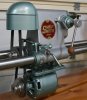
This may seem obvious but the problem appears to be related to the position of the hard rubber pads on the inside face of the Fence Base (217). The parts that I suspect are not listed in the parts breakdown.
When I lock the lower locking handle, I can feel when the fence is not going to be secure. Moving the fence slightly (1/2" or so) either direction allows the fence to be secured.
This may seem obvious but the problem appears to be related to the position of the hard rubber pads on the inside face of the Fence Base (217). The parts that I suspect are not listed in the parts breakdown.
"Making Sawdust Safely"
Dusty
Sent from my Dell XPS using Firefox.
Dusty
Sent from my Dell XPS using Firefox.
Thanks for your thread, Dusty! Maybe others can avoid a serious kick back!! (a couple of avoidance tricks below)
Do you see this happening as being caused by a defect in the 520 fence? Just asking, because I am aware how particular you are with aligning your tables.
Although I've not tried this two table fence set up with my 510. Here's how I avoid such a situation:
1) Use a floating table or extension table to the left of the blade to make such rips. It's always a good practice to to learn to be able to use either side of the saw for rips.
2) Use of an axillary fence such as the one used by Gary (greitz) in post #4.
Do you see this happening as being caused by a defect in the 520 fence? Just asking, because I am aware how particular you are with aligning your tables.
Although I've not tried this two table fence set up with my 510. Here's how I avoid such a situation:
1) Use a floating table or extension table to the left of the blade to make such rips. It's always a good practice to to learn to be able to use either side of the saw for rips.
2) Use of an axillary fence such as the one used by Gary (greitz) in post #4.
Octogenarian's have an earned right to be a curmudgeon.
Chuck in Lancaster, CA
Chuck in Lancaster, CA
-
dusty
- Platinum Member
- Posts: 21530
- Joined: Wed Nov 22, 2006 6:52 am
- Location: Tucson (Wildcat Country), Arizona
I have not gotten to the root cause yet but I have not seen any indication of a defect. It might be the result of wear and tear but not defect.charlese wrote:Thanks for your thread, Dusty! Maybe others can avoid a serious kick back!! (a couple of avoidance tricks below)
Do you see this happening as being caused by a defect in the 520 fence? Just asking, because I am aware how particular you are with aligning your tables.
Although I've not tried this two table fence set up with my 510. Here's how I avoid such a situation:
1) Use a floating table or extension table to the left of the blade to make such rips. It's always a good practice to to learn to be able to use either side of the saw for rips.
2) Use of an axillary fence such as the one used by Gary (greitz) in post #4.
Hopefully I will get to a point where I can say for certain what causes this.
I do tend to work on the right side of the blade. Cannot say why, just do.
ADDED COMMENTS: I am going to ignore this problem until after I finish the seasonally heavy demands. This is a move to preserve peace and harmony amongst the elves.
However, this morning I did make some slight changes. I thoroughly cleaned and lubricated (graphite dust) the moving parts of the rip fence. This changed the tactile feel when securing the two locks but did nothing for the problem. I then tightened the nut on the lower locking bar (1/8 of a turn). This eliminates the movement on the infeed end of the rip fence.
Sounds like "problem corrected". Well not quite. Now, when I apply the lower lock, the outfeed end on the rip fence changes position and it has never done that before. It changes very little but it changes. Why???
"Making Sawdust Safely"
Dusty
Sent from my Dell XPS using Firefox.
Dusty
Sent from my Dell XPS using Firefox.